Vintage Circus Doodle Letters: A Complete Guide to Using Digital Alphabet Clipart
There is a distinct charm in the whimsical, hand-drawn aesthetic of vintage circus imagery. When you combine that nostalgic feel with the playful energy of doodle fonts, you get a design element that instantly grabs attention. Vintage Circus Doodle Letters are more than just a font; they are a complete set of digital alphabet clipart designed to bring character and warmth to your creative projects. Whether you are designing a birthday invitation, creating a classroom poster, or branding a small business product, these letters offer a unique visual language that standard typefaces simply cannot match.
However, working with digital clipart requires a bit of know-how. Many creators dive into a project without fully understanding the nuances of file formats, licensing, or design integration, leading to frustration or compromised final results. As someone who has navigated the world of digital assets for years, I want to help you avoid common pitfalls and ensure you get the most out of this specific collection. Let’s explore how to use these resources effectively while steering clear of the mistakes that often plague beginners and even seasoned designers.
Understanding What You Are Actually Buying
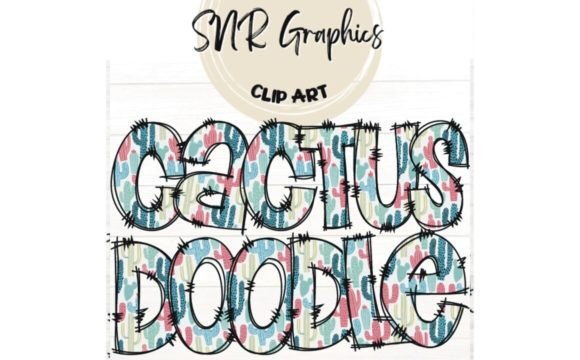
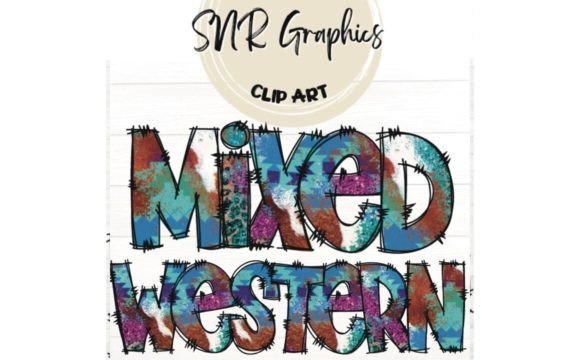
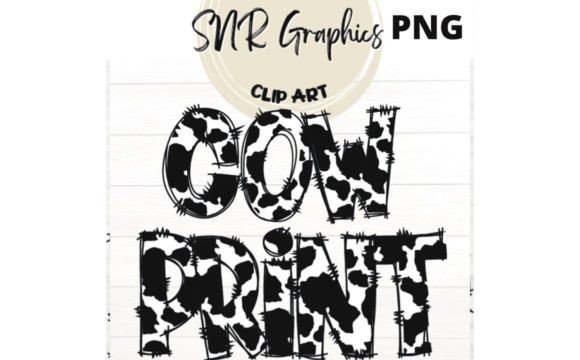
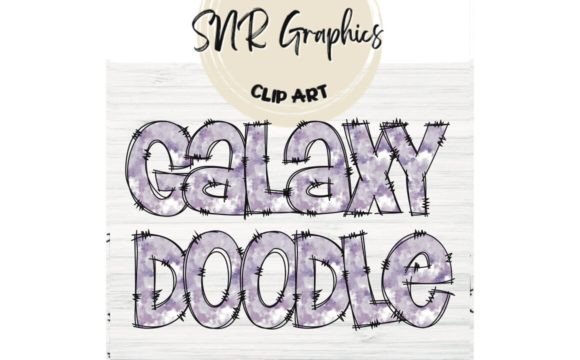
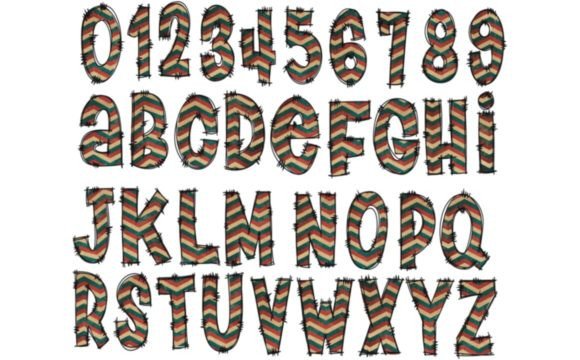
Before you click "download," it is crucial to clarify exactly what Vintage Circus Doodle Letters entails. This is not a traditional font file (like a .ttf or .otf) that you install on your computer to type words in Word or Photoshop. Instead, this is a clipart set. This means every letter of the alphabet is an individual image file. You will find every element seen in the preview within your download package.
A common misunderstanding occurs when buyers expect to be able to type freely. With clipart, you must drag and drop each letter individually to spell out your text. While this sounds tedious, it offers a level of customization that installed fonts do not. You can stretch, rotate, color, and arrange each letter uniquely to create a dynamic layout. If you need a rigid, perfectly aligned paragraph of text, a standard font is better. But if you need a headline where the "A" leans back and the "Z" wiggles, this clipart approach is superior.
Avoiding Common File Format Mistakes
The quality of your final project often hinges on the file format you choose. One of the most frequent errors creators make is downloading low-resolution images or using the wrong background settings. The Vintage Circus Doodle Letters set includes PNG files with transparent backgrounds. This transparency is non-negotiable for professional-looking designs.
If you ignore the transparency and try to use these letters over a colored background without masking them properly, you end up with unsightly white boxes around your text. This ruins the "doodle" effect, making the design look amateurish rather than artistic. Always ensure your editing software supports transparency. When placing these letters onto a photo, a patterned paper texture, or a solid color, the transparent background allows the underlying layer to show through seamlessly, integrating the letters naturally into the composition.
Resolution Matters for Print Projects
Another overlooked detail is resolution. Many users download digital assets intended for web use and attempt to print them at large sizes, resulting in pixelated, blurry text. Before purchasing or using any digital clipart, check the dimensions. For Vintage Circus Doodle Letters, verify that the PNGs are high enough resolution for your intended output. If you are printing a large banner or a detailed scrapbook page, low-resolution files will degrade quickly. High-quality PNGs ensure crisp edges and clean lines, which are essential for maintaining the integrity of the vintage aesthetic.
Navigating Licensing and Usage Rights
Perhaps the most critical area where creators stumble is understanding the license agreement. The Vintage Circus Doodle Letters come with permissions for both personal and commercial use, but there are strict boundaries you must respect to avoid legal issues. It is easy to assume that "commercial use" means you can sell the files themselves, but this is a dangerous misconception.
You are permitted to use these letters to create finished products—such as t-shirts, greeting cards, invitations, or digital planners—that you then sell to customers. However, you are strictly prohibited from redistributing, sharing, or selling the digital files as they are. You cannot upload the original PNGs to another marketplace, share them in a free resource group, or include them in a template pack where the buyer extracts the raw clipart. Doing so violates the intellectual property rights of the creator and undermines the value of the work.
To stay safe, always treat the clipart as a component of your larger creation, not the product itself. If you have questions about a specific project scope, contacting the seller directly is the best course of action. Most creators are happy to clarify their terms to ensure you remain compliant.
Practical Tips for Design Integration
Once you have downloaded your files and confirmed your usage rights, the real fun begins. Because these are individual elements, the key to success lies in arrangement and consistency. A common mistake is treating each letter as an isolated object without considering the flow of the word.
Spacing and Alignment: Since you are manually placing letters, kerning (the space between characters) becomes your responsibility. Standard fonts handle this automatically, but with clipart, uneven spacing can make words difficult to read. Use guides in your design software to align the baselines of the letters. Even though the style is "doodle" and imperfect, the overall line of text should still feel balanced.
Color Consistency: The vintage circus theme often relies on specific color palettes—think muted pastels, sepia tones, or bold primary colors reminiscent of old posters. Ensure the colors of your letters complement your background and other design elements. If the letters clash with the rest of your project, the cohesive vintage vibe is lost. Don't be afraid to adjust the hue or saturation slightly to match your specific project needs, provided the file format allows for non-destructive editing.
Ideas for Creative Application
The versatility of Vintage Circus Doodle Letters extends far beyond simple headlines. Here are a few realistic ways to apply them effectively:
- Digital Scrapbooking: These letters are perfect for labeling photos or creating journaling blocks. The transparent background makes them ideal for overlaying on scanned vintage photographs.
- Classroom Projects: Educators can use them to create engaging name tags, bulletin board headers, or spelling practice sheets. The playful nature appeals to students while maintaining a structured educational environment.
- Small Business Branding: Artisans and boutique owners can incorporate these letters into packaging labels, social media graphics, or event flyers to convey a handmade, nostalgic brand identity.
- Craft Supplies: If you sell printable craft kits, these letters can serve as cut-out templates for cardstock projects, adding a tactile element to your digital offerings.
Final Thoughts on Making the Right Choice
Choosing the right digital assets is about balancing aesthetics with functionality. Vintage Circus Doodle Letters offer a fantastic opportunity to add personality to your work, but only if used correctly. By understanding the difference between clipart and fonts, respecting the licensing terms, and paying attention to file quality and design principles, you can create stunning, professional results.
Remember, the goal is to enhance your project, not complicate it. Take the time to review your download, test the files in your preferred software, and plan your layout before committing to a final design. With the right approach, these cute clipart letters will become a valuable tool in your creative arsenal, helping you communicate your message with style and flair. Have fun creating, and let the vintage spirit guide your next masterpiece.